

🚀 New Product Launch · Playcools
A one-stop tool platform for trial-play ads—handle everything
from ad creation to delivery on a single platform
Multi-Channel Conversion · Hot Swapping of Resources · Multilingual Analysis · Point Detection · Cocos + Unity Dual-Engine Support
Anyone who creates trial-play ads knows this pain all too well.
You spent two weeks polishing a demo ad, and it turned out well. Your boss said, “Let’s launch it.”
Then you opened the channel requirements list—
AppLovin requires a single HTML file, Facebook requires a ZIP file limited to 5MB, TikTok has its own set of specifications, Google Ads has its own MRAID requirements, and then there’s Unity Ads, ironSource, Mintegral… Each channel has its own set of standards, and every platform has its own set of pitfalls.
Modifying the package, adjusting dimensions, deleting resources, adding tracking codes, and testing compatibility—work that could have been finished in a day ended up dragging on for a whole week.
What's even more frustrating is that for teams using Unity to create demo ads, there are virtually no good multi-channel tools available in China. The Cocos ecosystem offers some solutions, but what about Unity? It's basically all done manually.
This isn't a technical issue; it's a tool issue.
That's why we created Playcools.
What is Playcools?
Playcools is a one-stop SaaS tool platform designed specifically for ad-to-play teams.
It doesn't help you “create” trial ads—instead, it solves the problem of how to distribute them quickly and accurately once they’re ready.
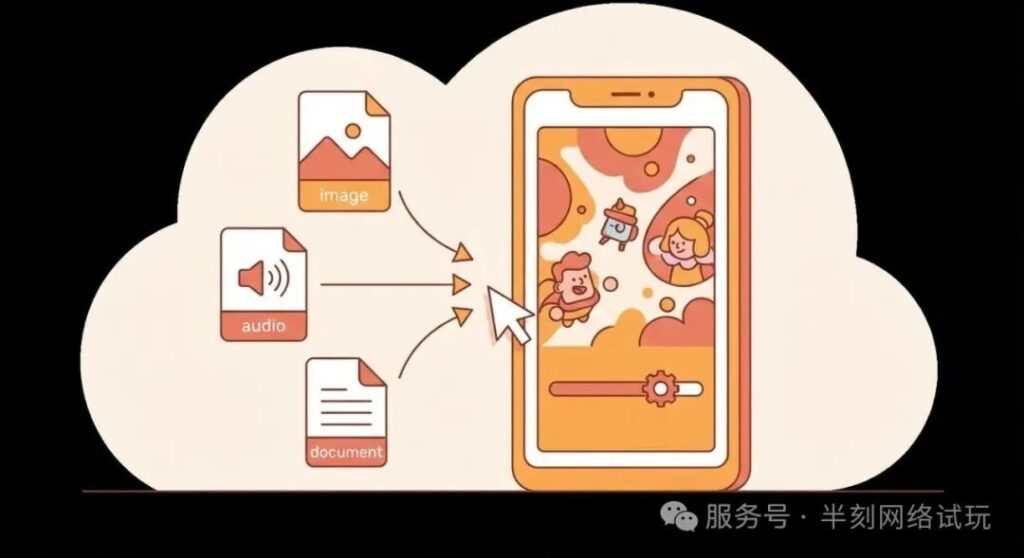
Core Logic: Upload the app package once, and the platform automatically adapts it for all channels, allowing you to export packages for all channels with a single click.
👉 https://stayby.cc | Sign up for a free trial
⚡ Breaking News: China's First Unity Demo Ad Channel Conversion
There are two major drivers in the ad-supported mobile game industry: Cocos Creator and Unity.
The Cocos ecosystem is relatively mature, and there are already some tools available for channel conversion. However, on the Unity side—especially in the domestic market—this area has long been neglected.
Today, Playcools officially filled in that missing piece of the puzzle.
Now, whether you're using Cocos or Unity, you can complete the entire process—from upload to configuration to multi-channel export—on a single platform:
🎮 Cocos Creator: Upload the web-mobile.zip build package (maximum 10 MB)
🎮 Unity: Upload a single HTML file exported from Luna (maximum 10 MB)
The platform automatically identifies the engine type and follows the corresponding conversion process. The plans for the two engines are independent and do not affect each other.
Core Features
🔄 One-click export to multiple channels
This is one of Playcools' core capabilities. After uploading the app package, select the target channels and export them in bulk with a single click.
Supports over 18 major ad platforms: AppLovin, Facebook, Google Ads, TikTok, Unity Ads, ironSource, Mintegral, Vungle, Liftoff, Moloco, Chartboost, Snapchat, BigoAds, Yandex, Kwai, Smadex …
The platform automatically handles MRAID adaptation, file formats, size limits, and store link insertion for each channel—all you need to do is enter your iOS/Android store links once.
The export process includes a real-time progress bar, and you can download the file immediately upon completion.
🎨 Hot Swapping of Resources
This feature is particularly well-suited for A/B testing and creative iteration.
After uploading the HTML file for the distribution package, the platform will automatically parse and categorize all resources within the package—loading images, in-game images, and audio files—and display them, with a thumbnail preview for each resource.
Replace individual resources with a single click; drag-and-drop uploads are supported, giving you maximum flexibility.
Once the replacement is complete, export the new package with a single click—no need to open the engine at all. If a designer says, “Try changing the image,” you can have it done in 3 minutes.
🌍 Multilingual Analysis
Automatically scan all text content within the package to detect multilingual coverage.
See at a glance which languages are missing translations and which copy is hard-coded. When switching channels, you can check the “Enable Multilingual Analysis” box to automatically include the analysis report when exporting. Never miss a translation again when running global campaigns.
📊 Spot Detection
Automatically detects event tracking code embedded in the package. Have the tracking points been added? Are the event names spelled correctly?
Run a test before launch to ensure complete data tracking and optimize attribution analysis. Data attribution is no longer a matter of guesswork.
📦 Channel Monitoring
Upload an existing channel package, and the platform will automatically detect which channel specifications it complies with. Not sure if an existing package is compatible with a specific channel? Just scan it to find out.
🖼️ Customizing the Loading Page
Customize the Loading Screen: Upload your brand logo, set the progress bar style, and configure the background color.
When switching channels, check the "Enable Loading Page" box, and each exported channel package will include your custom loading screen. Those few seconds users spend waiting are also time for your brand to shine.
🔒 Watermark Insertion
Add a text watermark to your ad packages with a single click to prevent unauthorized use of your content.
📝 Package Information Modifications
After uploading the channel package, you can directly modify the metadata within the package without having to return to the engine.

Efficiency Comparison
📌 Channel Synchronization: Manually process one by one → Select all channels and export with one click
📌 Replacing assets: Return to the engine, modify the resources, and rebuild → Replace assets online via drag-and-drop and export directly
📌 Time required: 0.5–2 hours per channel package → Less than 5 minutes for all channels
📌 Engine: Unity (no tools available) → Full coverage with dual engines: Cocos and Unity
📌 Quality: Manual inspection → Automated detection of tracking codes / Multilingual support / Channel compliance
Who is it for?
🎮 Overseas Game Expansion Teams—User acquisition teams that need to run campaigns across multiple overseas channels simultaneously, especially those using Unity to create trial ads
🏢 Trial-Play Ad Production Company—Serving multiple clients and producing a large volume of channel packages every day
👨💻 Independent developer—no dedicated ad campaign engineer, but needs to launch quickly
📢 Advertising Agency—Manage the placement and iteration of creative assets across multiple game projects
Give it a try now
Sign up to try the channel conversion feature for free.
Cocos and Unity each offer their own trial periods; there’s no need to install a client—you can start using them right away by visiting their websites.
Upload the package → Select a distribution channel → Export—done in three steps.
👉 https://stayby.cc
原创文章,作者:游茶会,禁止转载:https://youxichaguan.com/en/archives/215191